

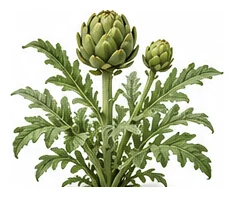
Whole plant
Overall shape, height, branching and growth habit.
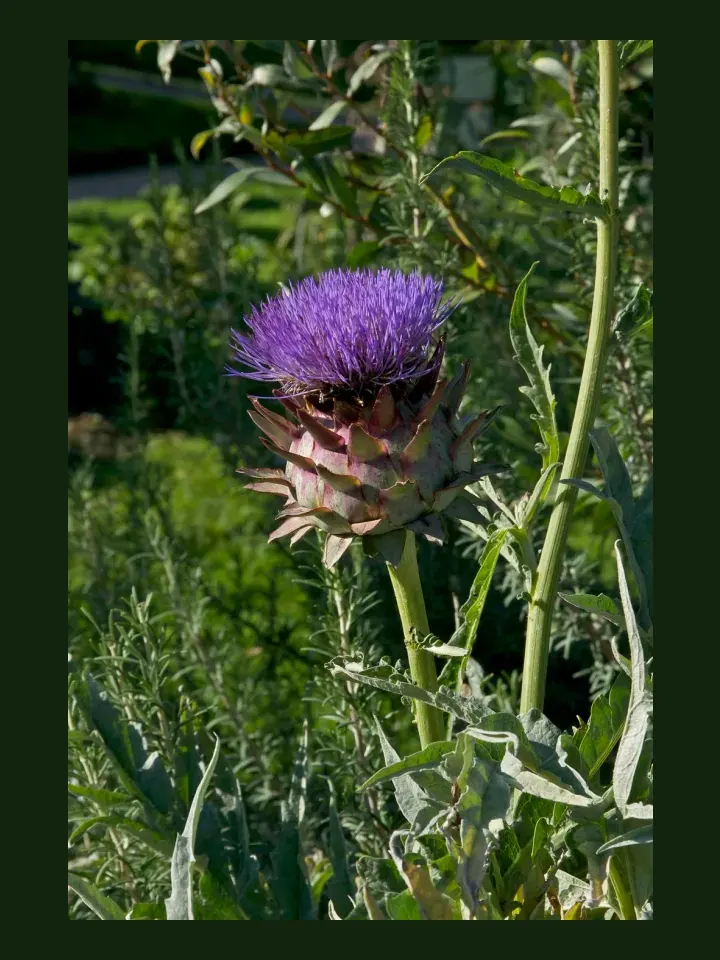
Dramatic architectural perennial producing edible flower buds. The 'leaves' and heart are delicious. Very productive once established — a single plant yields 20+ buds per season.
Use this real-world photo as the main plant reference, then compare it with the botanical drawings below for leaf, flower and harvest details.
Use these windows as a public guide. Plotera can personalise tasks around your saved garden, location and planting dates.
| Climate | Sow | Transplant / Plant | Harvest |
|---|---|---|---|
| Tropical | Apr - Aug | Apr - Aug | Jul - Nov |
| Subtropical | Feb - Aug | Feb - Aug | May - Oct |
| Mediterranean | Feb - Aug | Feb - Aug | May - Oct |
| Temperate | Feb - Jul | Mar - Aug | Jun - Oct |
| Cool | Feb - Jun | Mar - Jul | Jun - Oct |
| Arid | Mar - Jul | Mar - Jul | Jun - Sep |
Compare the whole plant first, then check the leaf, flower and harvest detail to identify what Artichoke should look like as it grows.
Overall shape, height, branching and growth habit.
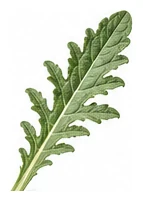
Leaf shape, edges, colour and vein pattern.
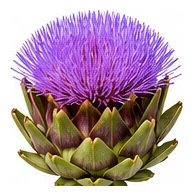
Flower colour, structure and where blooms appear.
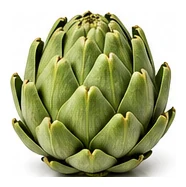
Fruit, root, seed, pod or the strongest identifying feature.
A quick garden-to-table guide for using Artichoke after harvest.
Use fresh where appropriate, especially tender young leaves, flowers, or ripe edible parts.
Cook according to the edible part: steam greens, roast roots, stew fruit, or use aromatics for flavour.
Use fresh, pickle, freeze, dry, or preserve depending on the edible part.
Try: Fresh use, Cooked dish, Preserve, Garden-to-table experiment.
Sunflower, Tarragon
No avoid list yet.
Harvest buds before they open. Cut back hard after cropping and mulch well.
Create a free account to save your garden layout, personal planting calendar, water and fertiliser schedules, seed inventory and harvest logs.
Create Free Account