

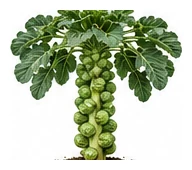
Whole plant
Overall shape, height, branching and growth habit.
Long-season brassica producing miniature cabbage-like buds along a tall stem. Flavour improves after frost. One of the most nutritious vegetables.
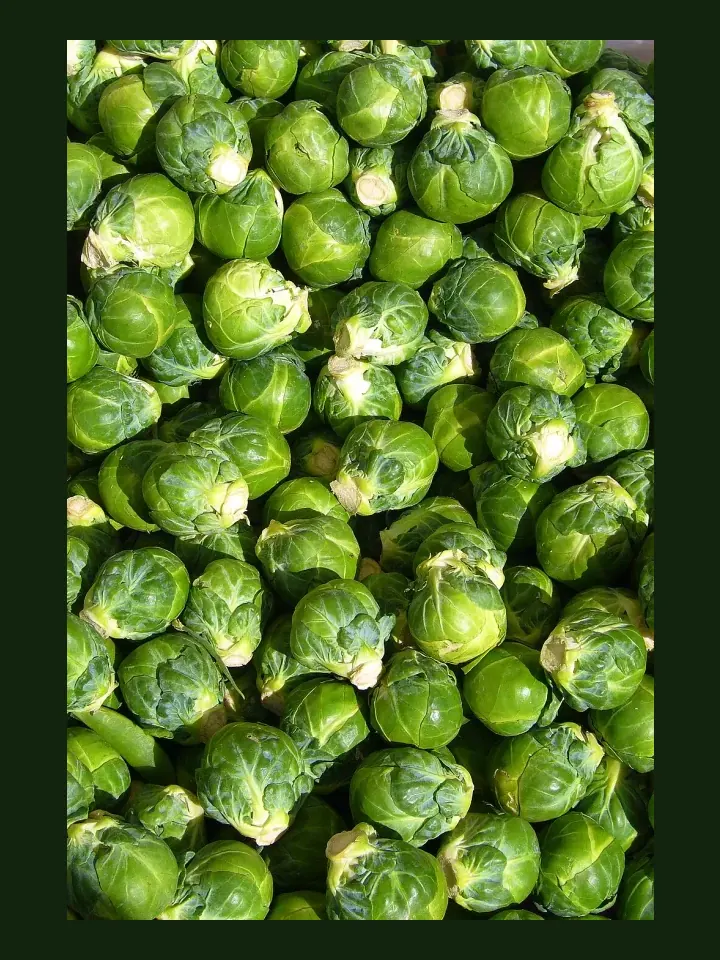
Use this real-world photo as the main plant reference, then compare it with the botanical drawings below for leaf, flower and harvest details.
Use these windows as a public guide. Plotera can personalise tasks around your saved garden, location and planting dates.
| Climate | Sow | Transplant / Plant | Harvest |
|---|---|---|---|
| Tropical | Apr - Jul | Apr - Jul | Jul - Oct |
| Subtropical | Feb - Jul | Feb - Jul | May - Oct |
| Mediterranean | Feb - May | Mar - Jun | Jun - Oct |
| Temperate | Feb - May | Mar - Jun | Jul - Nov |
| Cool | Feb - Apr | Mar - May | Aug - Dec |
| Arid | Mar - Jun | Mar - Jun | Jun - Sep |
Compare the whole plant first, then check the leaf, flower and harvest detail to identify what Brussels Sprouts should look like as it grows.
Overall shape, height, branching and growth habit.
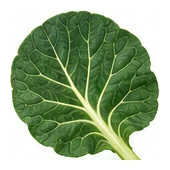
Leaf shape, edges, colour and vein pattern.
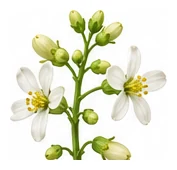
Flower colour, structure and where blooms appear.
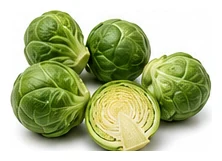
Fruit, root, seed, pod or the strongest identifying feature.
A quick garden-to-table guide for using Brussels Sprouts after harvest.
Use tender leaves or shredded cabbage raw in slaws, salads, wraps, and quick pickles.
Steam, roast, stir-fry, braise, add to soups, gratins, curries, or tray bakes.
Ferment cabbage, pickle stems, blanch and freeze florets or sturdy greens.
Try: Slaw, Roasted brassicas, Stir-fry, Fermented cabbage.
Onion, Garlic, Rosemary, Sage, Thyme, Dill
Tomato, Strawberry, Pole Bean
Stake plants as they grow tall. Pick sprouts from the bottom up.
Create a free account to save your garden layout, personal planting calendar, water and fertiliser schedules, seed inventory and harvest logs.
Create Free Account