
Features Guides Plant Encyclopedia Planting Calendar Demo News About FAQ Contact InstagramFacebook Sign In

Check a plant problem with a photo
8 September 2026 · 1 min read · The Plotera team
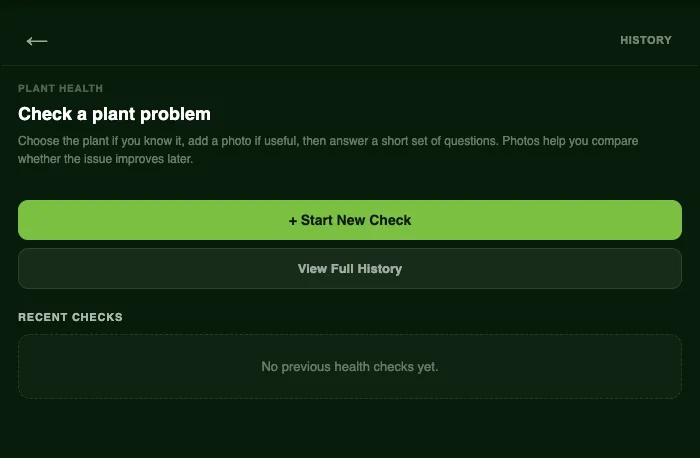
Plotera's plant health screen with a button to start a new check and a history of recent checks

Yellow leaves, spots, wilting, holes: when a plant looks unwell it is hard to know where to start. The plant health check walks you through it.

How it works

  1. Choose the plant if you know what it is.
  2. Add a photo of the problem. It is optional, but it lets you compare later and see whether things are getting better.
  3. Answer a few short questions about what you can see, such as which leaves are affected and whether the soil is wet or dry.

Plotera weighs your answers against that plant's own care needs, so a tomato and a lettuce with the same symptom can get different advice. You get the most likely causes, what to do now and what to watch for.

Keep a history

Every check is saved, so you can look back, add a new photo a week later and see whether the treatment worked.

The most common question we hear is about yellowing leaves, so we wrote a full guide: why are my plants turning yellow?

UpdatesPlant health

Turn garden notes into a living plan.

Create a free account to save your garden layout, personal planting calendar, water and fertiliser schedules, seed inventory and harvest logs.

Create Free Account
Get it onGoogle Play
Use Plotera like an app from your home screen.

Get Plotera on Google Play

Open Plotera on Google Play.
Tap Install to add the Android app.
Sign in or create your free Plotera account.
Open Google Play
Plotera is available on Google Play for Android devices.

Add to iPhone

Open plotera.app in Safari on your iPhone.
Tap the Share button at the bottom of Safari.
Choose Add to Home Screen, then tap Add.
Use Safari for the best install experience on iPhone.