
Features Guides Plant Encyclopedia Planting Calendar Demo News About FAQ Contact InstagramFacebook Sign In

Plotera is now on Google Play
18 August 2026 · 1 min read · The Plotera team
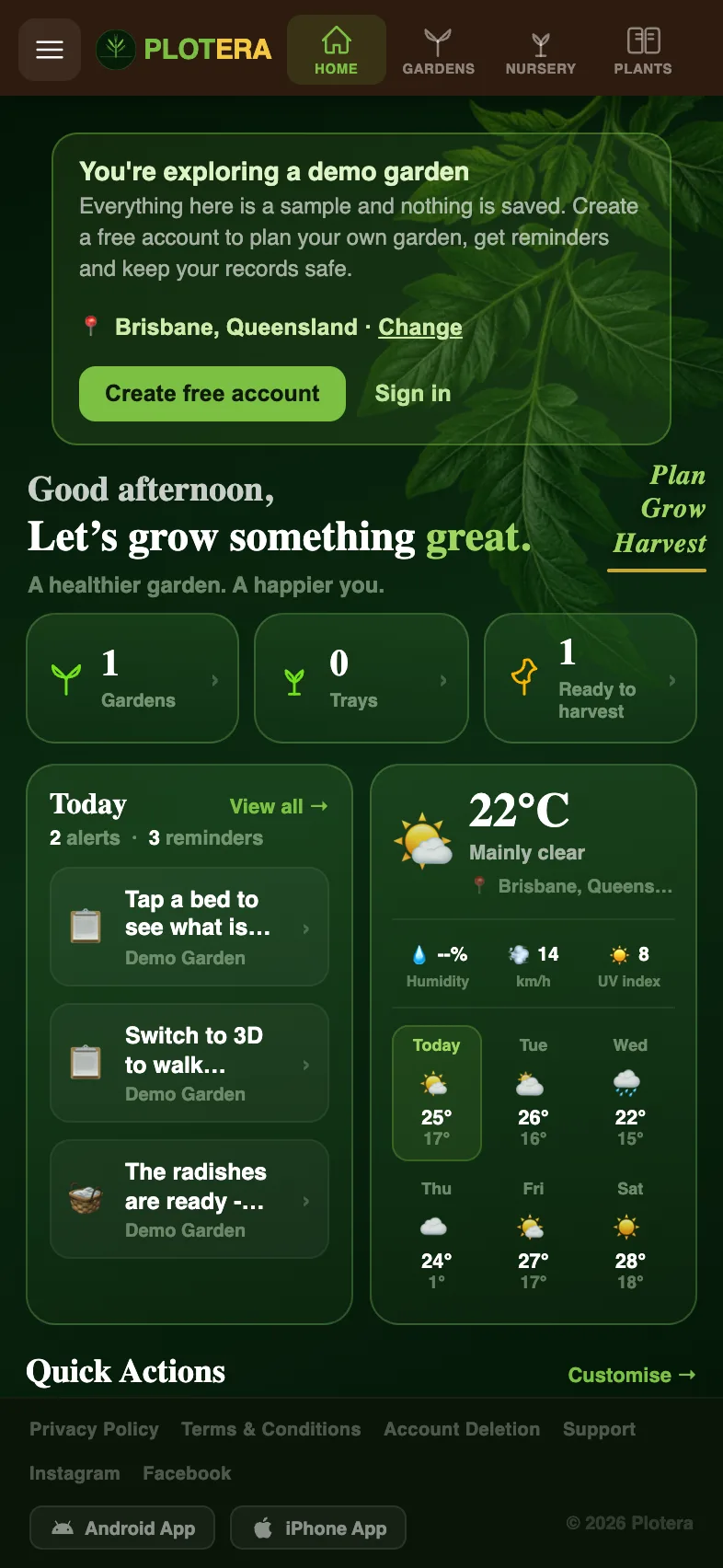
Plotera's home screen on an Android phone showing gardens, trays and today's reminders

Big news for Android gardeners: Plotera has been approved by Google and is now available on the Google Play Store.

What you get

  • A proper app on your home screen that opens full screen, with no browser bars.
  • Notifications for watering, feeding, harvest time and weather alerts.
  • The same account everywhere. Sign in on your phone and your gardens, trays and harvest log are all there, and changes sync with Plotera on your computer.
  • Free, like the rest of Plotera.

Built for the garden

We tested the app in the garden on real phones: zooming and panning around beds with your fingers, the back button closing menus the way you would expect, and picking up where you left off when you switch back to it.

Get Plotera on Google Play. On iPhone? You can use Plotera in Safari today, and an iPhone app is on the way.

UpdatesMobile apps

Turn garden notes into a living plan.

Create a free account to save your garden layout, personal planting calendar, water and fertiliser schedules, seed inventory and harvest logs.

Create Free Account
Get it onGoogle Play
Use Plotera like an app from your home screen.

Get Plotera on Google Play

Open Plotera on Google Play.
Tap Install to add the Android app.
Sign in or create your free Plotera account.
Open Google Play
Plotera is available on Google Play for Android devices.

Add to iPhone

Open plotera.app in Safari on your iPhone.
Tap the Share button at the bottom of Safari.
Choose Add to Home Screen, then tap Add.
Use Safari for the best install experience on iPhone.