
Try Plotera without signing up
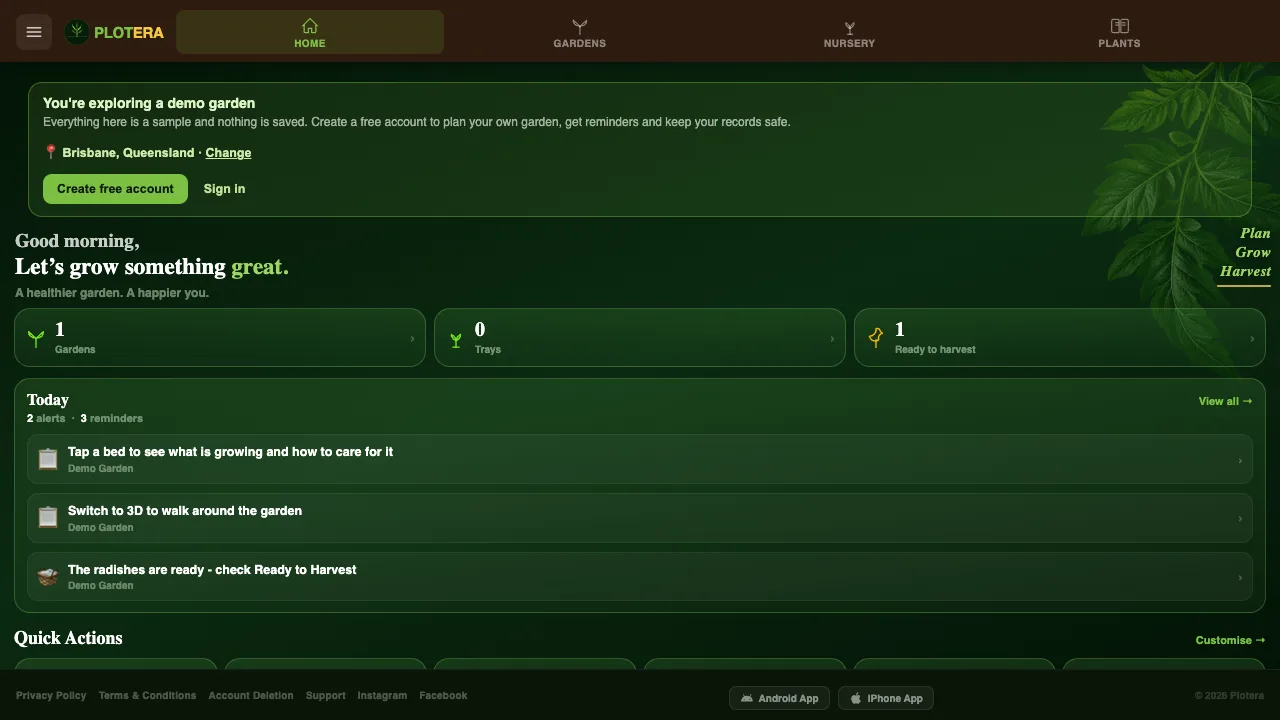
It is hard to know if a garden app is right for you until you have used it. Now you can try Plotera without creating an account.
A ready-made demo garden
Tap Explore without an account on the sign-in screen, or visit plotera.app/demo, and you are dropped into a fully planted demo garden. Look around the beds, switch to 3D, open the Growth Simulator and see what the reminders and harvest tracking look like.
Nothing in the demo is saved. When you are ready to plan your own garden, create a free account and the setup walks you through it step by step.
Poisonous plants, clearly marked
Some popular garden plants are harmful if eaten, and the warning is not always obvious. The Plant Encyclopedia now flags 33 of them:
- A red warning for poisonous plants, including foxglove, rhubarb leaves and green or sprouting potatoes.
- An amber caution where only part of a plant is a risk, such as tomato leaves, which can upset dogs and cats.
The warning shows under the plant's name, as a badge in the encyclopedia list and on its public plant page, which is useful if you garden with children or pets.
Try the demo garden now, or browse the Plant Encyclopedia.