

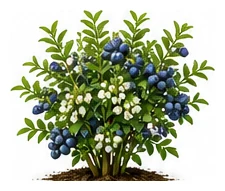
Whole plant
Overall shape, height, branching and growth habit.
Long-lived shrub producing sweet antioxidant-rich berries. Needs acidic soil — the most critical factor for success. Very productive once established.
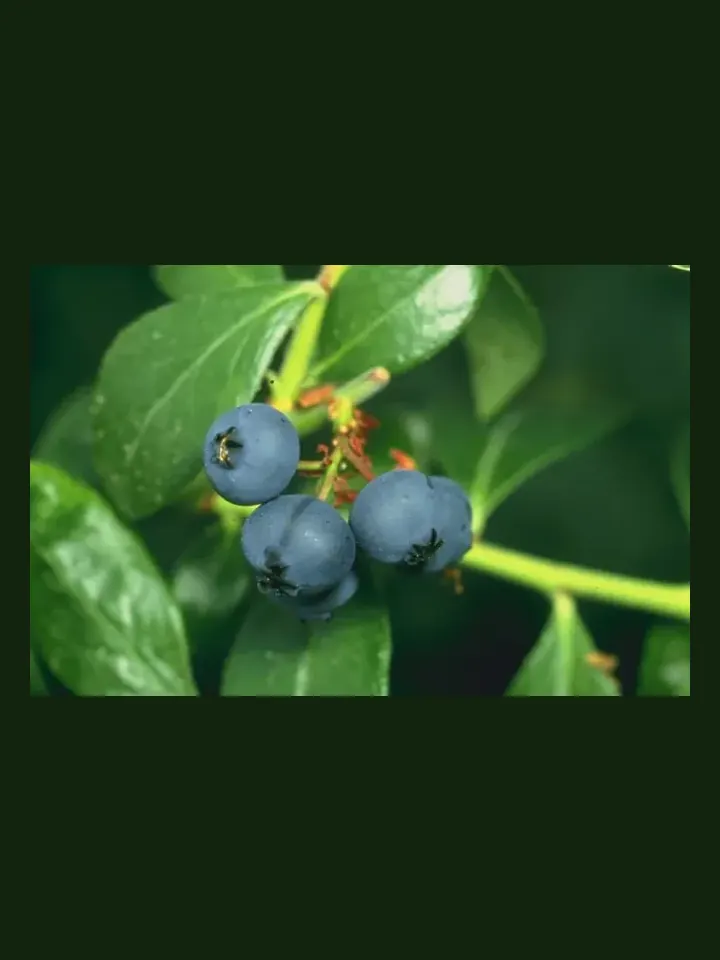
Use this real-world photo as the main plant reference, then compare it with the botanical drawings below for leaf, flower and harvest details.
Use these windows as a public guide. Plotera can personalise tasks around your saved garden, location and planting dates.
| Climate | Sow | Transplant / Plant | Harvest |
|---|---|---|---|
| Tropical | Apr - Aug | Apr - Aug | Jan - Dec |
| Subtropical | Feb - Aug | Feb - Aug | Jan - Dec |
| Mediterranean | Feb - Sep | Feb - Sep | Jan - Dec |
| Temperate | Feb - Sep | Feb - Sep | Jan - Dec |
| Cool | Feb - Aug | Feb - Aug | Jan - Dec |
| Arid | Mar - Aug | Mar - Aug | Jan - Dec |
Compare the whole plant first, then check the leaf, flower and harvest detail to identify what Blueberry should look like as it grows.
Overall shape, height, branching and growth habit.
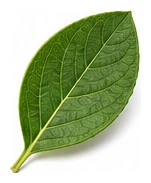
Leaf shape, edges, colour and vein pattern.
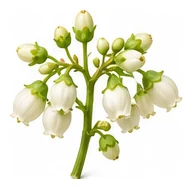
Flower colour, structure and where blooms appear.
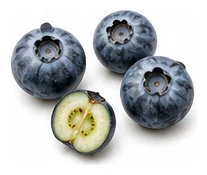
Fruit, root, seed, pod or the strongest identifying feature.
A quick garden-to-table guide for using Blueberry after harvest.
Eat fresh by the handful, in breakfast bowls, salads, smoothies, desserts, or as bright toppings.
Cook into compotes, jams, pies, crumbles, sauces, syrups, and quick warm toppings.
Freeze, jam, dehydrate, bottle as syrup, or make chutney depending on the berry.
Try: Fresh berries, Smoothie, Jam, Crumble.
Strawberry, Thyme, Basil
Tomato
Acidify soil with sulfur or use pine bark mulch. Plant 2+ varieties for better pollination.
Create a free account to save your garden layout, personal planting calendar, water and fertiliser schedules, seed inventory and harvest logs.
Create Free Account