

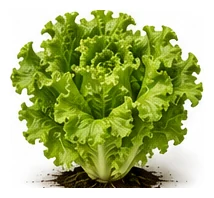
Whole plant
Overall shape, height, branching and growth habit.
The backbone of the salad garden. Prefers cool weather and bolts to seed in heat. Sow successionally every 2-3 weeks for continuous harvests. Cut-and-come-again types give multiple harvests.
Use this real-world photo as the main plant reference, then compare it with the botanical drawings below for leaf, flower and harvest details.
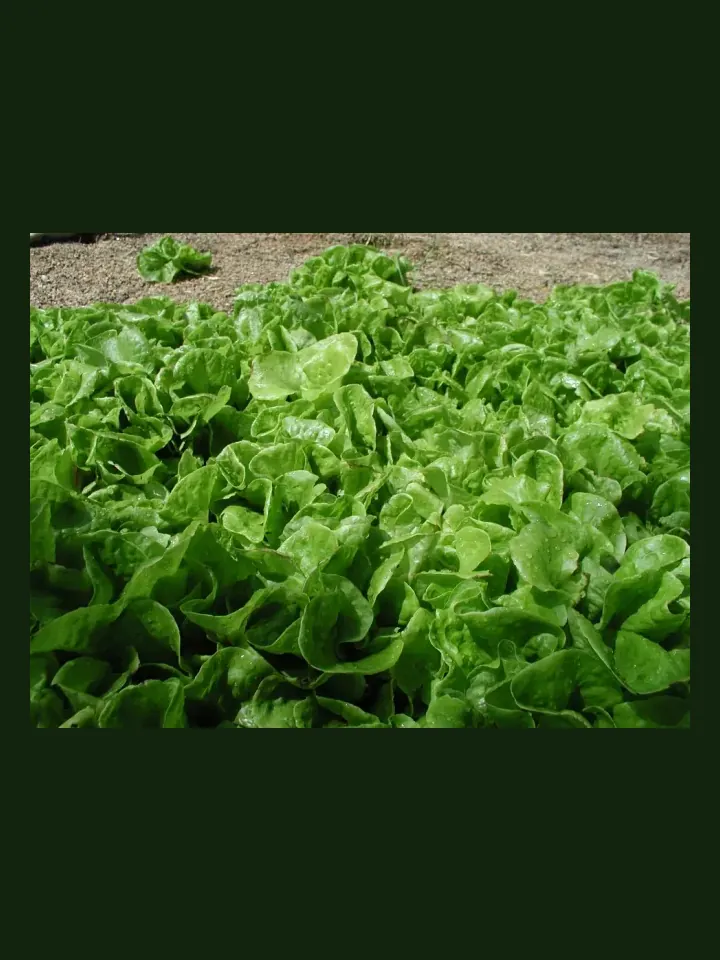
Use these windows as a public guide. Plotera can personalise tasks around your saved garden, location and planting dates.
| Climate | Sow | Transplant / Plant | Harvest |
|---|---|---|---|
| Tropical | Apr - Aug | Apr - Aug | May - Oct |
| Subtropical | Mar - Aug | Mar - Aug | Apr - Oct |
| Mediterranean | Feb - Sep | Feb - Sep | Mar - Nov |
| Temperate | Feb - Oct | Feb - Oct | Mar - Dec |
| Cool | Feb - Sep | Feb - Sep | Mar - Nov |
| Arid | Mar - Aug | Mar - Aug | Apr - Oct |
Compare the whole plant first, then check the leaf, flower and harvest detail to identify what Lettuce should look like as it grows.
Overall shape, height, branching and growth habit.
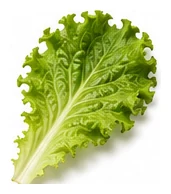
Leaf shape, edges, colour and vein pattern.
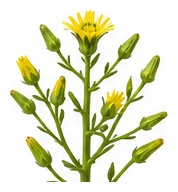
Flower colour, structure and where blooms appear.
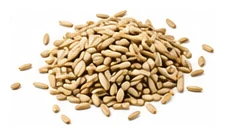
Fruit, root, seed, pod or the strongest identifying feature.
A quick garden-to-table guide for using Lettuce after harvest.
Use young tender leaves fresh in salads, wraps, bowls, sandwiches, or as a garnish where suitable.
Wilt, steam, stir-fry, braise, add to soups, fold into omelettes, or use in savoury bakes.
Use fresh, blanch and freeze sturdy greens, ferment, or make herb-style pastes depending on the crop.
Try: Fresh salad, Garlic stir-fry, Soup greens, Wilted side.
Carrot, Radish, Strawberry, Chives, Onion
Celery, Parsley
Water in the morning to avoid fungal issues. Provide afternoon shade in hot weather.
Create a free account to save your garden layout, personal planting calendar, water and fertiliser schedules, seed inventory and harvest logs.
Create Free Account